Your Step-by-Step Website Setup Guide
This guide walks you through everything you need to quickly set up and customize your website. From theme installation to advanced layout options. Follow the steps, and you’ll be ready in no time.
Note:
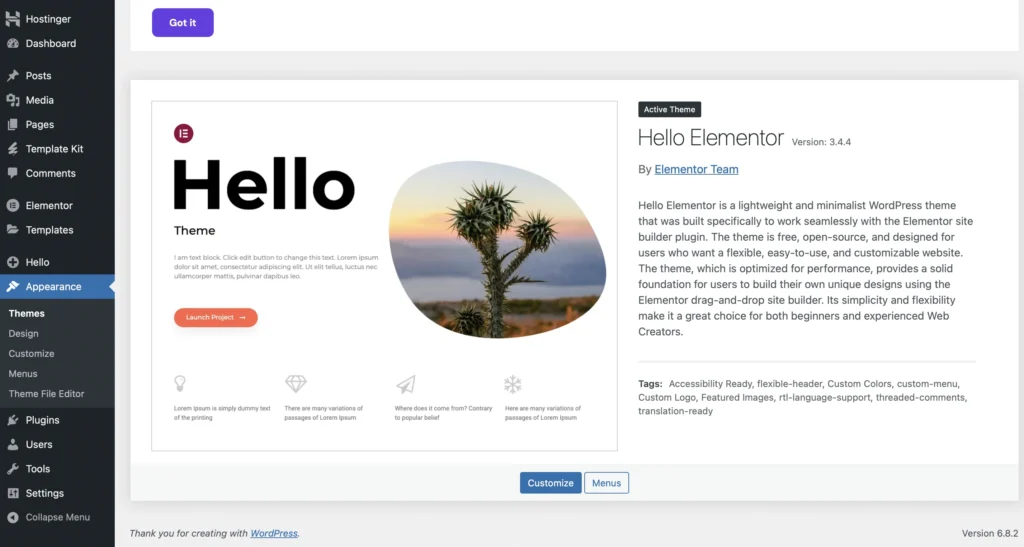
To fully use the custom header and footer included in this kit, you’ll need to disable the default ones from the Hello Elementor theme. If you’re using another theme instead of Hello, you’ll also need to remove its header and footer to avoid conflicts.
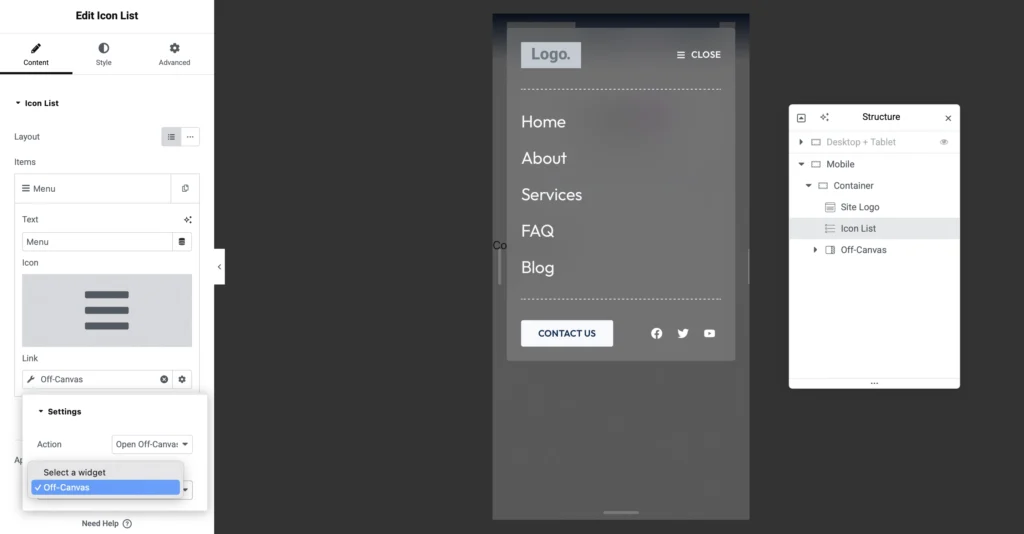
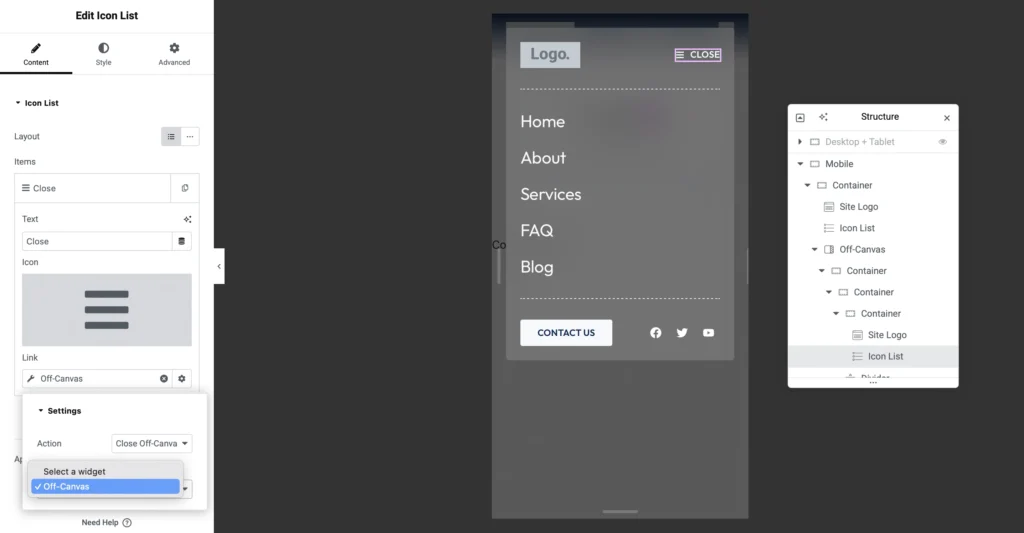
This kit includes a ready-made off-canvas menu. After importing the header, go to your site header and connect the open and close icons with the off-canvas template. This ensures the toggle works smoothly for mobile and desktop navigation.
There are two toggles (icon lists) you have to work with – one to open the off-canvas and another to close it. Refer to the two images.
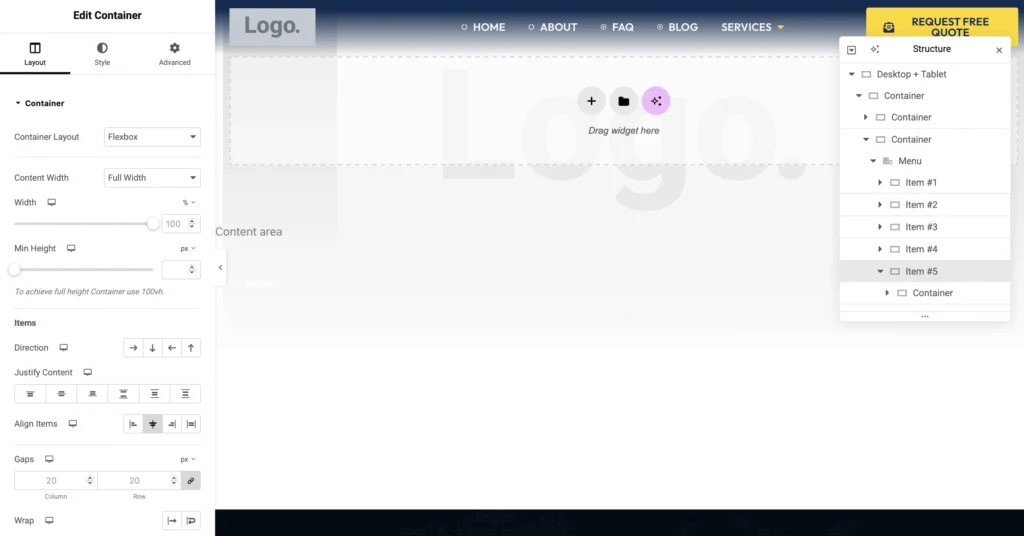
The kit includes a mega menu in its header. As you can change the content and layout of the mega menu by going in the item #5 of the menu element in our site header for desktop + tablet, as shown in the right side of the screenshot.